MetaTrader 5 on a phone: what do you check before you trade from it?
MetaQuotes' free MetaTrader 5 app runs on iPhone, iPad and Android, with all order types, Market Depth and stop and take-profit orders. MetaQuotes says it does not provide brokerage, so the account and its terms come from your broker (guide: what the app does and does not do; MetaQuotes).
Phones make it easy to open and close a position in seconds. The One Click Trading option, which the official iPhone page lists in the iPad version, is an example: a single tap can place an order.
We would like to hear your routine:
- Before you connect to a broker's server from the app, what do you check: the regulator entry, the leverage or the order settings?
- Do you set a stop loss before the first tap, or after the position opens?
- Have you ever changed a position on the phone that you would have handled differently on a desktop? What happened?
- Do you use netting or hedging on the phone, and which one do you trust more?
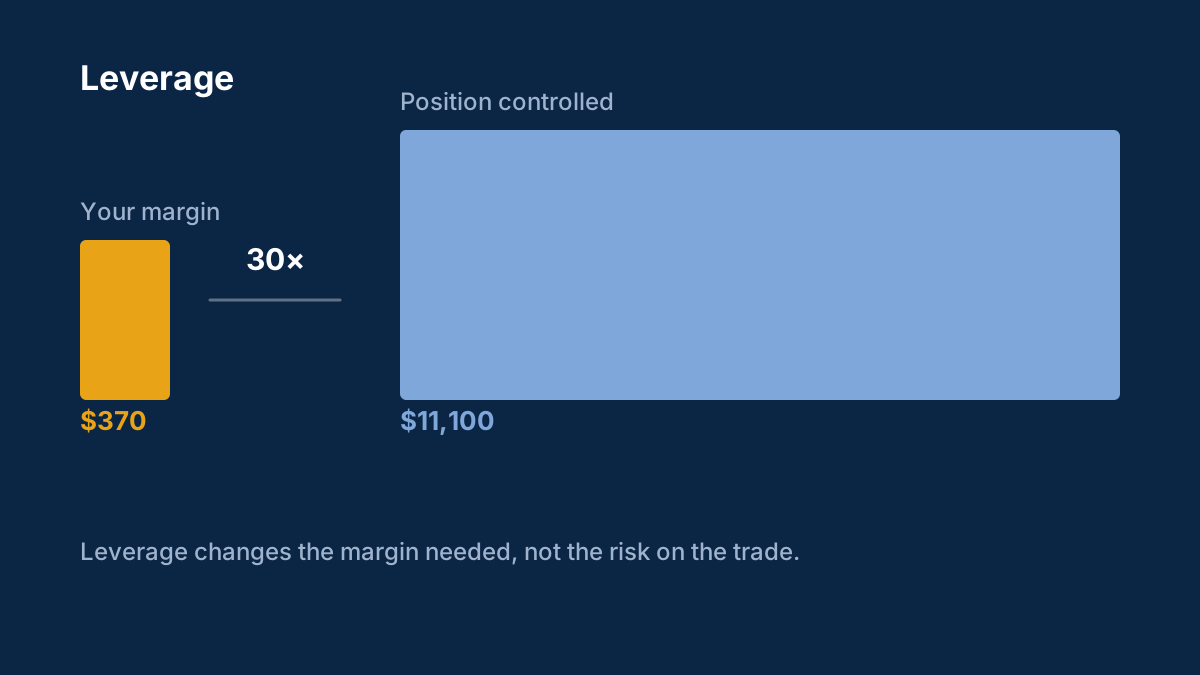
How to check if a forex broker is regulated covers the first check, and leverage and margin explained covers why position size matters.
Please share your own approach and reasoning, not calls for others to copy. Posts that promise a direction or sell signals will be removed.
Background: Leverage and margin explained: margin calls, stop-outs and how losses grow
Leverage lets you control a large position with a small deposit. It magnifies losses exactly as much as gains, and it is behind most blown trading accounts.
What does 30:1 leverage mean?
You can control a position 30 times larger than your margin deposit. $1,000 of margin opens a $30,000 position, and gains and losses are calculated on the full $30,000.
What is a margin call?
A warning from your broker that losses have reduced your margin level to a set threshold. If it keeps falling, the broker starts closing positions automatically, which is called a stop-out.
Comments
Log in to join the discussion. Comments follow the community guidelines.
Log in to commentLoading comments…