How to check whether a forex broker is regulated
A licence number on a website proves nothing until you have checked it yourself. A step-by-step check using regulators' own registers, and the tricks clone firms use.
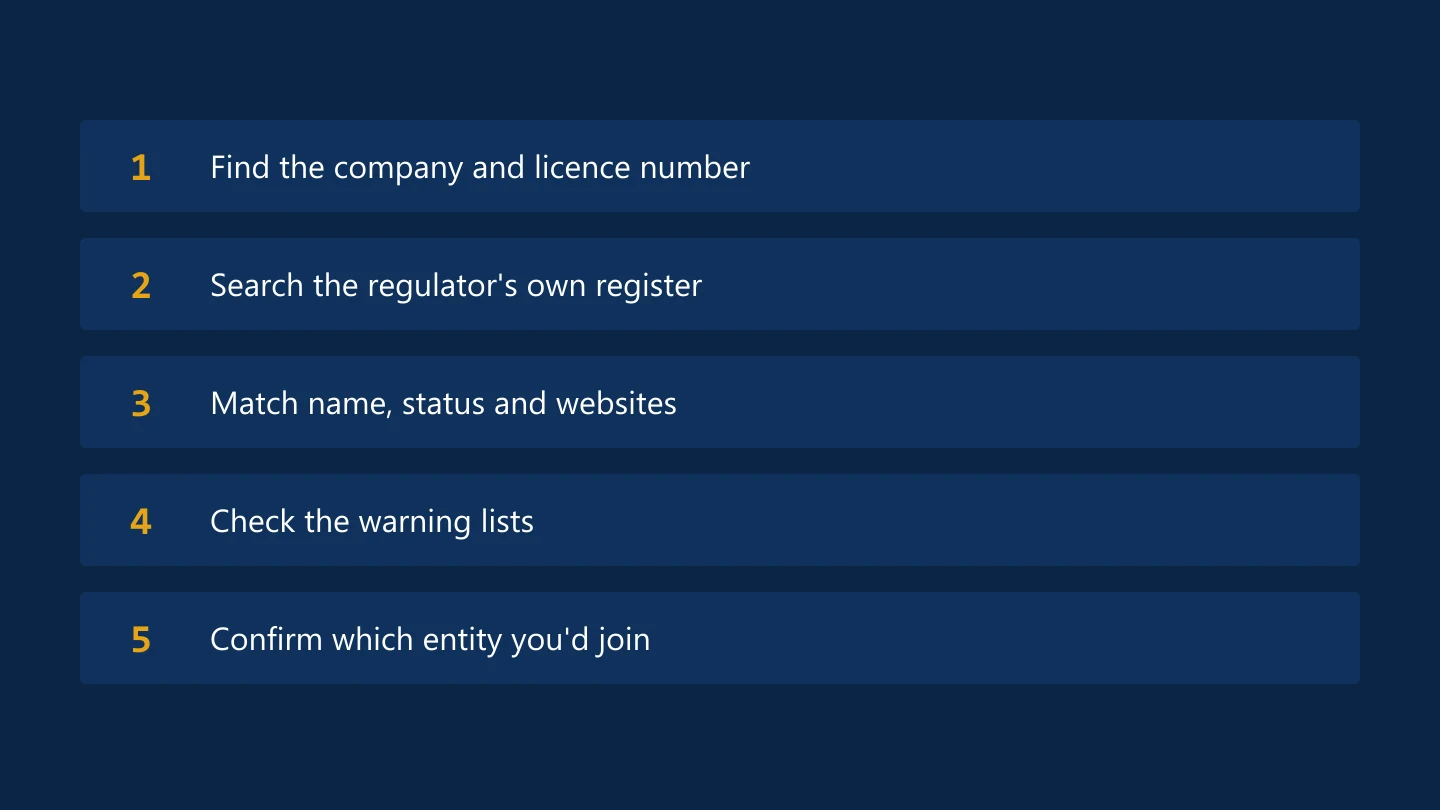
Checking a broker's regulation takes about ten minutes and is the most useful thing you can do before sending money. Here is how to do it properly.
Step 1: find the company and licence number
Scroll to the footer of the broker's website, or open its client agreement or risk disclosure. Regulated brokers must state:
- The legal name of the company you would contract with
- The regulator that authorises it
- Its licence or register number
A brand is not a company. Large brokers run several companies under one name, each licensed somewhere different, so note the exact company name.
Step 2: search the regulator's register yourself
Don't click links on the broker's site to "verify" the licence. Type the regulator's address into your browser, or use a search engine, and search its public register:
- UK: the FCA Financial Services Register
- Australia: ASIC's professional registers
- Cyprus: the CySEC register of investment firms
- United States: the NFA's BASIC member search
- Ireland: the Central Bank of Ireland registers
- Singapore: the MAS Financial Institutions Directory
Step 3: check that the details match
On the register entry, compare:
- The company name and number
- The website addresses listed. Many regulators record the domains a firm is allowed to use.
- The firm's status: authorised, or cancelled, lapsed or revoked
- Its permissions, such as dealing in investments as principal
If the website you are on isn't listed, contact the firm through the phone number or email on the register, not the one on the website.
Step 4: check the warning lists
Regulators publish warnings about unauthorised firms and impostors:
- The FCA Warning List of unauthorised firms
- IOSCO's I-SCAN alerts network, which gathers warnings from regulators around the world
Watch for clone firms
A clone firm copies the name, register number and sometimes the website design of a real, authorised company. The FCA has warned repeatedly about clone firm investment scams. Clues include email addresses on free email services, slightly altered domain names, pressure to act quickly and bank details in a different country from the firm.
Step 5: confirm which company you would actually join
Check which entity the account-opening form and client agreement name. If you live outside the regulator's country, you may be onboarded by an offshore company of the same brand with fewer protections; see offshore versus top-tier regulation.
Red flags
- A company registration number presented as if it were a licence
- A regulator you can't find an official website for
- A licence that covers a different company from the one taking your money
FTC's broker profiles list each company's regulator and number with a link to the register.
Sources
Common questions
How do I know if a forex broker is legit?
Find the exact company name and licence number in the broker's legal documents, then search the regulator's own register. Check that the company is authorised, that its listed websites match the one you are using, and that it isn't on a warning list.
What is a clone firm?
A fraudulent operation that copies the name, register number or website of a genuine authorised firm to trick people into sending money. Contact the firm only through the details shown on the regulator's register.
Was this guide helpful? 0 found it helpful, 0 did not.
Sign in with a confirmed email to answer.
Sign in to track which lessons you have read.
This article is for information only and is not financial advice. Trading forex and CFDs carries a high risk of losing money. Read the risk warning. Spotted an error? Tell the editors.
Related reading

Discussions on this topic
Comments
Log in to join the discussion. Comments follow the community guidelines.
Log in to commentLoading comments…