The market sessions page is live. Is the timeline useful, and what would you add?
The economic calendar now has a Market sessions tab. It shows which trading centres are open, when Sydney, Tokyo, London and New York open and close in UTC, the overlaps, and a countdown to the next change. It adjusts automatically when clocks change. The same labels appear next to message times in the global chat.
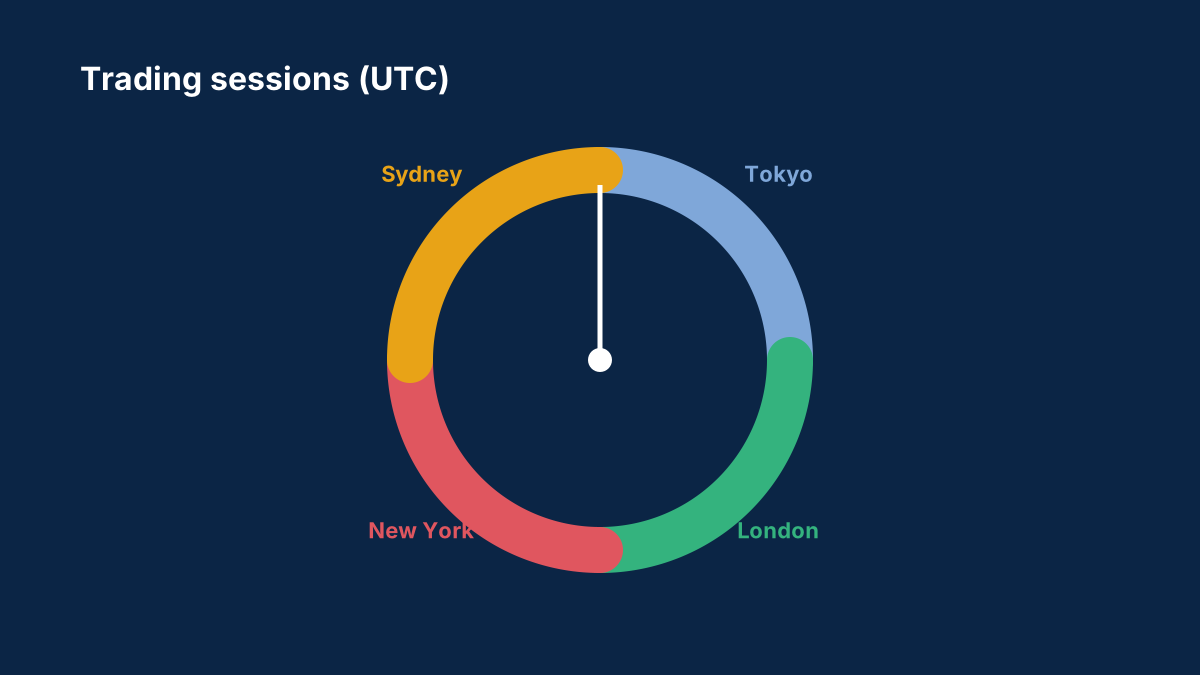
We'd like your feedback:
- Is the 24-hour timeline easy to read on your phone?
- Would you like to see the sessions in your own time zone as well as UTC?
- Should we mark bank holidays that close a centre for the day?
Reply with anything that's confusing or missing. We read every suggestion.
Comments
Log in to join the discussion. Comments follow the community guidelines.
Log in to commentLoading comments…
A few notes on how the page works, which may answer some questions before feedback comes in.
- Times are shown in UTC, and the open and close times follow each centre's own clock changes automatically. London moves from 07:00 to 08:00 UTC when UK clocks go back at the end of October.
- The timeline shows the four centres across 24 hours, with overlaps where two are open together.
- The countdown shows how long until the next open or close.
- The market week runs from Sunday 17:00 New York time to Friday 17:00 New York time, and the page shows the market as closed outside those hours.
Bank holidays aren't marked yet, which is one of the questions in the original post. It would help to know which holidays matter most to you, for example UK or US bank holidays.
Please include your device when reporting display problems. The trading sessions guide explains why each session behaves differently.
0