How do you read the terminal's Trade tab?
The Trade tab shows your open positions and their live numbers: price, stop, target, swap, profit. Beginners stare at it constantly and read almost none of it deliberately.
Walk through what you check:
- which columns matter to you and why
- how you read the profit column without overreacting
- the number that tells you whether you're in trouble (margin level)
The leverage and margin guide defines every number in that tab.
Background: How to use leverage responsibly: sizing for survival
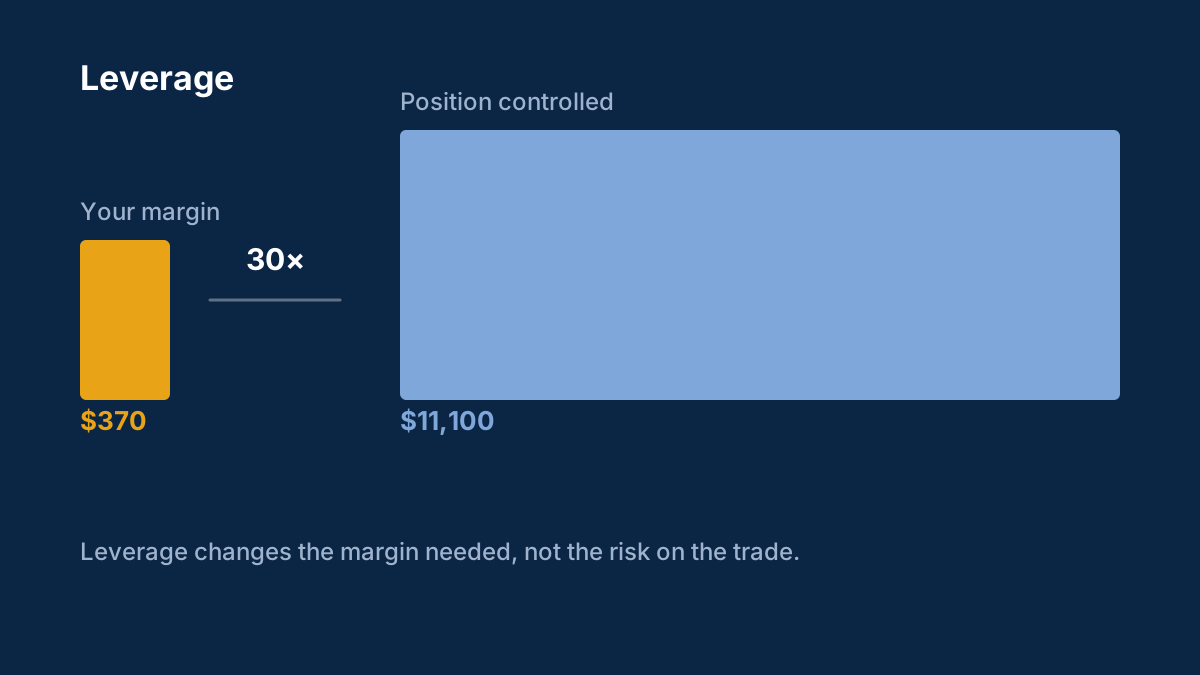
Leverage multiplies both the gains and the losses, and the account usually learns this before the trader does. Here is how offered leverage differs from used leverage, and how to set yours so a bad week stays a bad week.
How much leverage should a beginner use?
Far less than the broker offers. What matters is used leverage — the position size relative to the account — and beginners should risk about 1% per trade, which usually means micro or mini lots at most.
What is the difference between offered and used leverage?
Offered leverage is the account's maximum, set by the broker and the regulator. Used leverage is what your open positions actually employ. The second number decides whether a move against you is survivable.
Comments
Log in to join the discussion. Comments follow the community guidelines.
Log in to commentLoading comments…